
 By
By 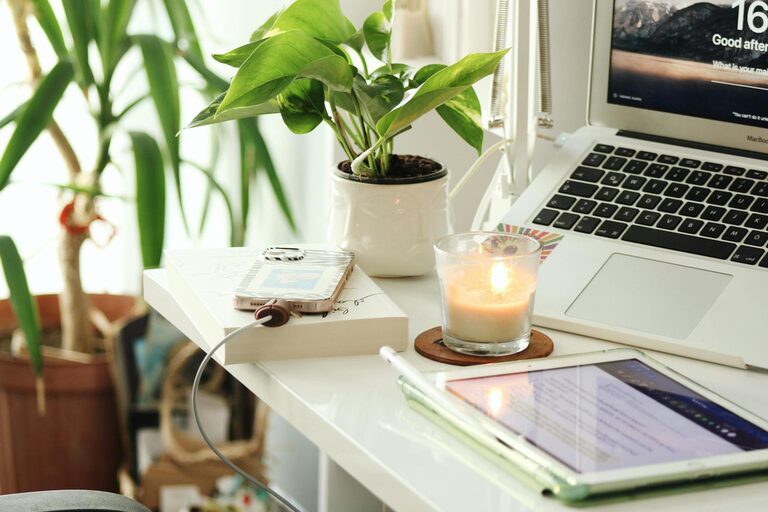
Creating a productive home office environment is essential for anyone working remotely or managing tasks from home. A well-designed workspace helps maintain focus, reduce distractions, and promote overall well-being during the workday. Whether you have a dedicated room or a small corner, there are key elements to consider to make your home office both comfortable and efficient.
Choose the Right Location
Consider Natural Light
Selecting a spot with plenty of natural light can improve mood and energy levels. Position your desk near a window if possible, but avoid direct glare on your computer screen to prevent eye strain.
Minimize Distractions
Pick a quiet area of your home where interruptions are limited. Inform family members or housemates of your working hours to help maintain boundaries.
Invest in Ergonomic Furniture
Comfortable Chair
A good chair supports your back and encourages healthy posture. Look for adjustable features like seat height, lumbar support, and armrests to customize the fit.
Proper Desk Height
Your desk should allow your arms to rest comfortably at a 90-degree angle while typing. Standing desks or adjustable workstations can add variety and reduce sedentary time.
Organize Your Space Effectively
Declutter Regularly
Keep only essential items on your desk to avoid distractions. Use organizers, trays, or drawer dividers to store supplies neatly.
Create Zones
Designate areas for specific tasks if space allows. For example, a primary desk for computer work, a small table for brainstorming or reading, and shelving for documents.
Optimize Technology Setup
Reliable Internet Connection
A strong, stable connection is vital for video calls and online collaboration. Consider upgrading your router or using a wired connection if possible.
Efficient Hardware
Invest in tools that enhance productivity, such as an external monitor, keyboard, and mouse. Comfortable and responsive devices reduce fatigue and improve workflow.
Manage Noise Levels
Use Noise-Canceling Headphones
These can block out household sounds and help you focus during calls and deep work sessions.
Ambient Sounds
Some people find white noise or soft background music helpful. Experiment to see what works best for your concentration.
Personalize Your Workspace
Add Plants
Indoor plants not only decorate your space but also improve air quality and create a calming atmosphere.
Inspirational Items
Include photos, artwork, or motivational quotes that uplift your mood without cluttering the area.
Maintain Work-Life Balance
Set Boundaries
Define clear work hours to separate professional and personal time. When the workday ends, step away from your workspace to recharge.
Take Breaks
Incorporate short breaks to stretch, rest your eyes, and refresh your mind. Techniques like the Pomodoro method can help manage focused work intervals.
Keep Good Lighting
Use Task Lighting
Desk lamps with adjustable brightness reduce eye strain, especially during evening hours or on cloudy days.
Avoid Harsh Overhead Lights
Choose soft, diffused lighting to create a comfortable environment.
Stay Organized Digitally
Manage Files Efficiently
Use cloud storage and clear naming conventions so important documents are easy to locate.
Use Productivity Tools
Apps for task management, calendars, and reminders can help keep you on track and reduce stress.
—
Creating a productive home office environment takes thoughtful planning and ongoing adjustment. By focusing on comfort, organization, and minimizing distractions, you can establish a space that supports your best work every day. Start small, experiment with what works for you, and enjoy the benefits of a well-designed workspace at home.