
 By
By 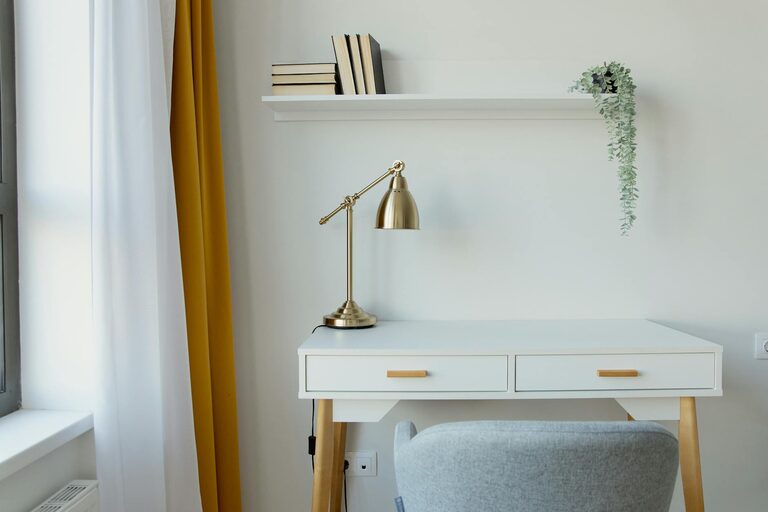
Creating a cozy and functional home workspace is essential for anyone working remotely or spending a significant amount of time at home. A well-designed workspace can boost productivity, reduce distractions, and improve your overall well-being. Whether you have a dedicated room or a small corner, these simple tips can help you create a workspace that is both inviting and efficient.
1. Choose the Right Location
The first step in setting up your home workspace is choosing the right spot. Consider the following:
– Natural light: Aim for a place with plenty of natural light. It helps reduce eye strain and lifts your mood.
– Quiet environment: Select an area away from household noise or distractions, if possible.
– Space for essentials: Ensure there’s enough room for your desk, chair, and any equipment you need.
If space is limited, a small nook or even part of your living room can work with some creative organization.
2. Invest in Comfortable and Supportive Seating
Spending hours at your desk means comfort is crucial.
– Choose an ergonomic chair that supports your lower back.
– Adjust your chair height so your feet rest flat on the floor and your knees are at a 90-degree angle.
– Consider adding a cushion or lumbar support for extra comfort.
Comfortable seating reduces fatigue, helping you stay focused longer.
3. Use a Suitable Desk
Your desk should fit your work style and space.
– Pick a desk with enough surface area for your computer, notepads, and other essentials.
– If you prefer standing or alternating between sitting and standing, consider an adjustable sit-stand desk.
– Keep cables and chargers organized with clips or cable trays to avoid clutter.
Remember, the desk height should allow your elbows to rest comfortably at your sides when typing.
4. Organize with Smart Storage Solutions
A tidy workspace enhances focus and efficiency.
– Use drawers, shelves, or containers to keep supplies and documents organized.
– Label storage bins to quickly find what you need.
– Keep frequently used items within arm’s reach, while storing less often used things away.
Organized storage reduces distractions and saves time looking for things.
5. Personalize Your Space
Adding personal touches can make your home workspace feel welcoming.
– Include photos, artwork, or inspirational quotes that motivate you.
– Add plants for a touch of nature, which can improve air quality and reduce stress.
– Choose colors and decor that make you feel calm and focused.
Personalization helps keep you comfortable and connected to your workspace.
6. Optimize Lighting
Proper lighting is vital for reducing eye strain and maintaining energy.
– Combine natural light with task lighting, such as a desk lamp.
– Avoid harsh overhead lights and glare on your screen by positioning lights carefully.
– Use soft, warm bulbs to create a cozy atmosphere.
Good lighting supports comfort and concentration.
7. Minimize Distractions
Keeping your workspace distraction-free promotes productivity.
– Set boundaries with family or housemates about your work hours.
– Use noise-canceling headphones or background music to block out noise.
– Keep your phone on silent or in another room if possible.
Creating a focused environment helps you complete tasks more efficiently.
8. Maintain Good Air Quality
A fresh space can keep you alert.
– Open windows when possible to let in fresh air.
– Use an air purifier if your home tends to feel stuffy.
– Place a few small plants that improve air quality, like snake plants or pothos.
Good air circulation contributes to your comfort and health.
9. Keep Technology in Check
Your tech setup should support your work without adding stress.
– Ensure your computer, printer, and other devices are reliable and updated.
– Manage cables with ties or organizers to avoid tangles.
– Use a charging station to keep devices powered and neat.
Efficient technology reduces frustration and keeps you connected.
10. Develop a Routine and Keep It Tidy
Finally, create habits that keep your workspace cozy and functional.
– Spend a few minutes at the start or end of each day tidying your desk.
– Take regular breaks to stretch and recharge.
– Adjust your workspace as your needs change over time.
Maintaining your workspace ensures it remains a pleasant place to work.
—
By following these tips, you can design a home workspace that feels comfortable, organized, and suited to your needs. Remember, the goal is to create a space that supports your work and well-being. With a little planning and personalization, your home workspace can become your favorite spot to focus and be productive.